I would use Scratch in my classroom because it provides an accessible entry point into computer science, especially for beginners and multilingual learners. Its visual, block-based design allows students to focus on core concepts like logic, sequencing, and problem-solving without being overwhelmed by syntax. However, I would use it intentionally and not as a standalone tool.
To be effective, it needs structure, clear objectives, and consistent connections to real-world programming. I would also make sure to transition students toward text-based languages over time so they can apply what they’ve learned beyond Scratch. In that way, Scratch becomes a strong foundation rather than a limitation.
I plan to teach Computer Science and STEM at the middle and high school level (grades 6–12), where students are ready to engage in deeper problem-solving and real-world applications of technology. To help them discover and use new digital resources, I would take a collaborative, student-centered approach.
Instead of introducing every tool myself, I would have students explore, test, and present different platforms or applications to the class. This encourages ownership of learning, builds digital literacy, and helps students develop critical thinking skills as they evaluate which tools are most effective.
When facilitating the use of new digital resources, I would prioritize student safety and privacy. Before introducing any tool, I would review its privacy policy, ensure it aligns with school guidelines, and limit the need for personal information.
In the classroom, I would explicitly teach digital citizenship, including creating safe usernames, understanding online risks, and practicing responsible behavior. I would also use teacher-monitored environments and establish clear expectations to ensure students are using digital tools appropriately and safely.
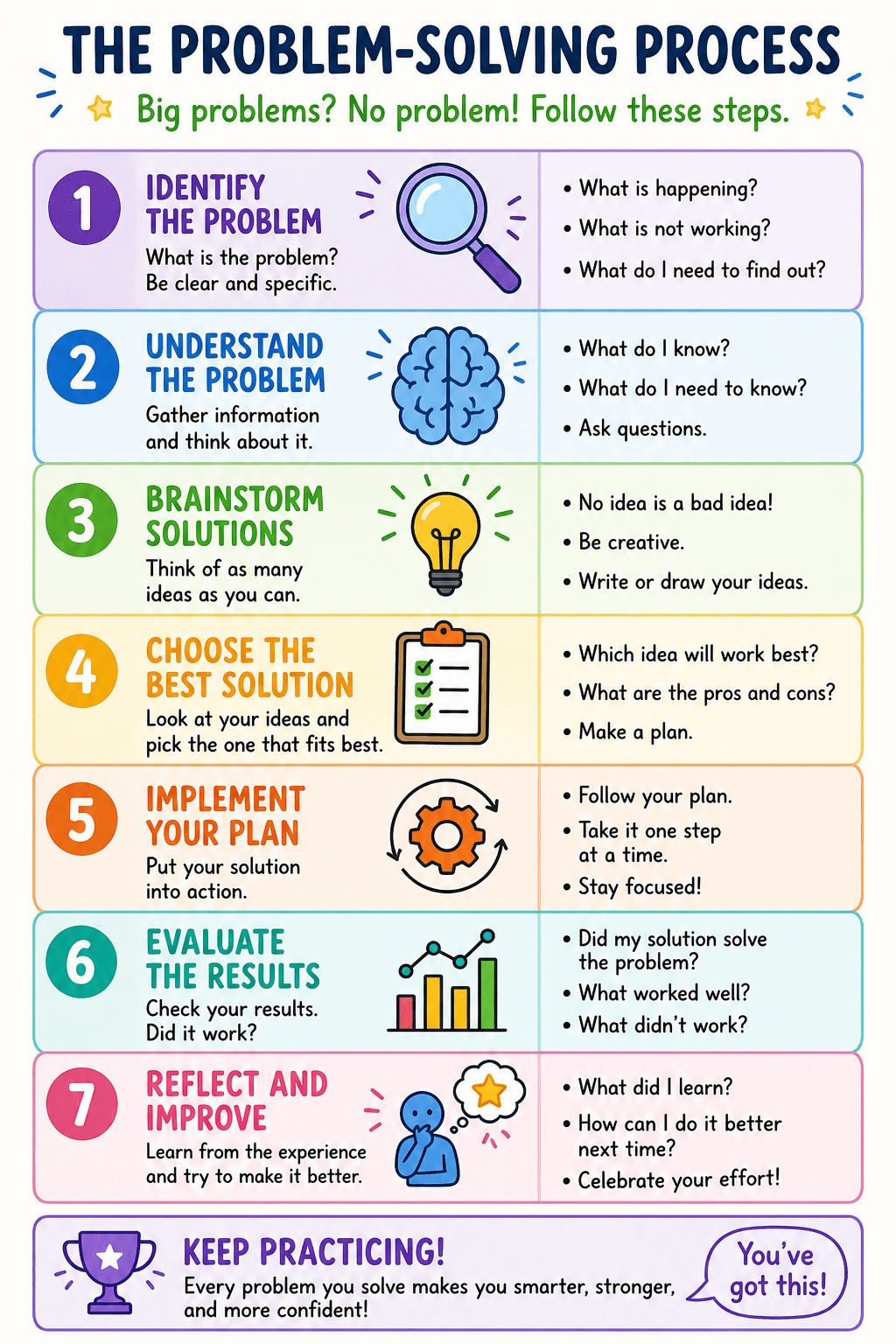
As students begin working with new technologies, I would support them through a structured problem-solving process rather than immediately providing answers. I would guide them to analyze issues, reflect on what they have tried, and collaborate with peers to find solutions.
By encouraging the use of help resources such as tutorials and documentation, students learn how to troubleshoot independently. This approach helps build resilience, confidence, and the ability to navigate challenges—skills that are essential not only in computer science but in any learning environment.
Citations
Kim, Y. (2010). Scaffolding through questions in upper elementary ELL learning. ERIC.
https://files.eric.ed.gov/fulltext/EJ910116.pdf
Supports: Scaffolding discussions, student participation, and guided questioning
Sibold, C. (2011). Building academic vocabulary for English language learners. ERIC.
https://files.eric.ed.gov/fulltext/EJ951842.pdf
Supports: Explicit vocabulary instruction, repetition, and contextual learning
Moody, S. (2018). Vocabulary instruction: A critical analysis of theories and practices. Education Sciences.
https://files.eric.ed.gov/fulltext/EJ1201080.pdf
Supports: Importance of repeated exposure, active use of vocabulary, and comprehension development
Jones, B. (2024). Accelerate success for English learners. ERIC.
https://files.eric.ed.gov/fulltext/ED673601.pdf
Supports: Instructional strategies, student engagement, and formative assessment for ELLs


Leave a Reply